GameVoiceAssistant游戏语音助手
A downloadable tool for Windows
When playing text-heavy games, a screen full of subtitles with no voice can really break the immersion.
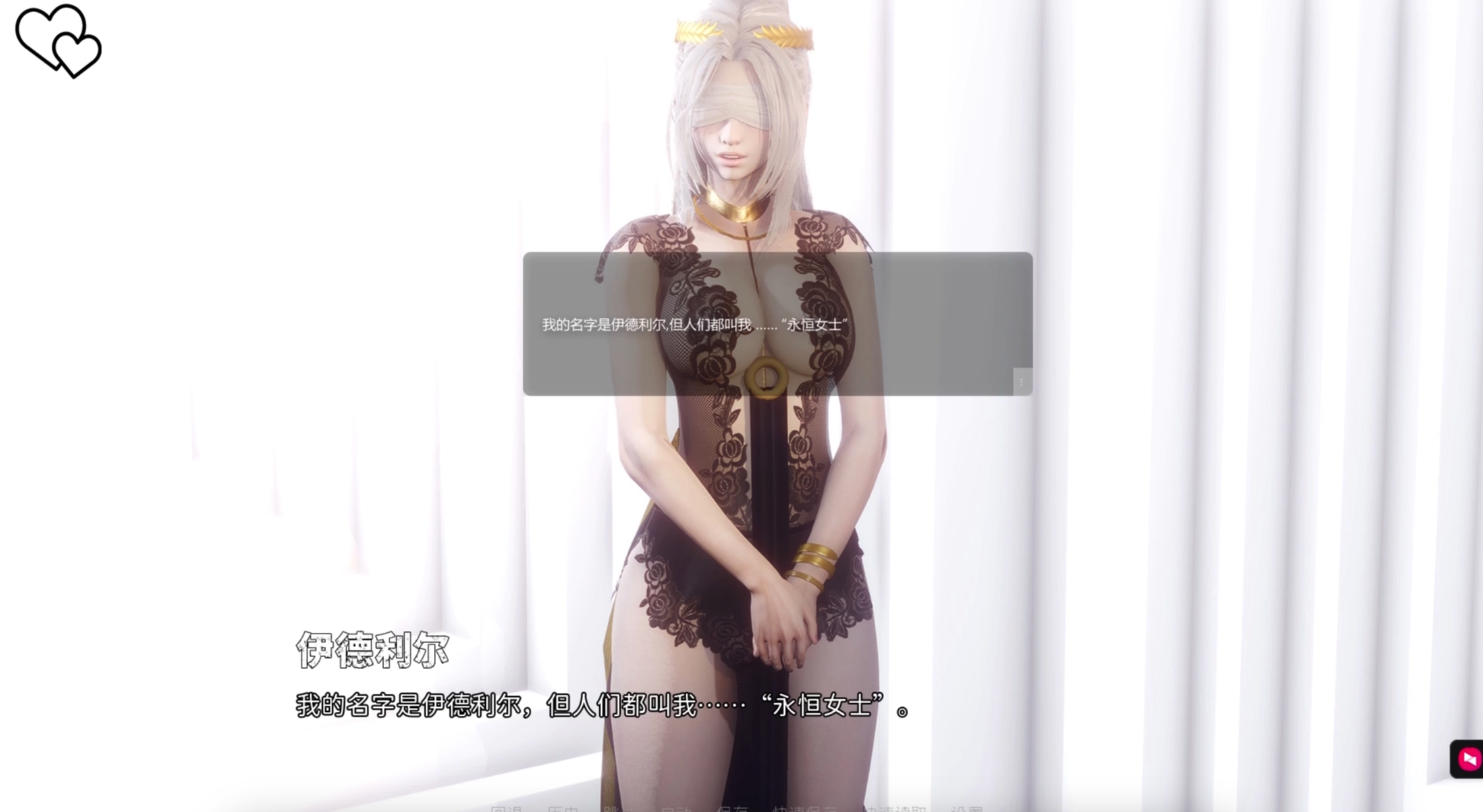
GameVoiceAssistant was created to solve exactly that problem. It recognizes in-game subtitles and characters, then automatically matches and plays the corresponding voice — whether TTS/AI-generated or pre-recorded human audio. Works smoothly even on low-end PCs.
✅ Completely free · Green software, no ads · Continuously updated
玩文字游戏时,满屏字幕却没有语音,沉浸感大打折扣。
GameVoiceAssistant 就是为解决这个问题而生。它通过识别游戏字幕和角色,自动匹配并播放对应的语音——可以是TTS语音/AI合成,也可以是真人录制音频,低配电脑也可以畅玩。
✅ 完全免费 · 绿色无广告 · 持续更新
- Supported platforms: Windows 11, Windows 10
- Run games in windowed / borderless mode
- How to get: downlaod this page
How to Use
- Select voice source
Open the software and choose a community-made game voice source file you've downloaded.
Click to download [Eternum Voice Source DEMO]: Baidu Netdisk, Quark Netdisk (password: Wkcj), Xunlei Netdisk (password: i77t). Place it in thegame/demodirectory as shown in the software. Mirrors from other platforms are welcome — send me the links and I'll update them here! - Start OCR service
Click to start the local OCR recognition service. - Area selection & test
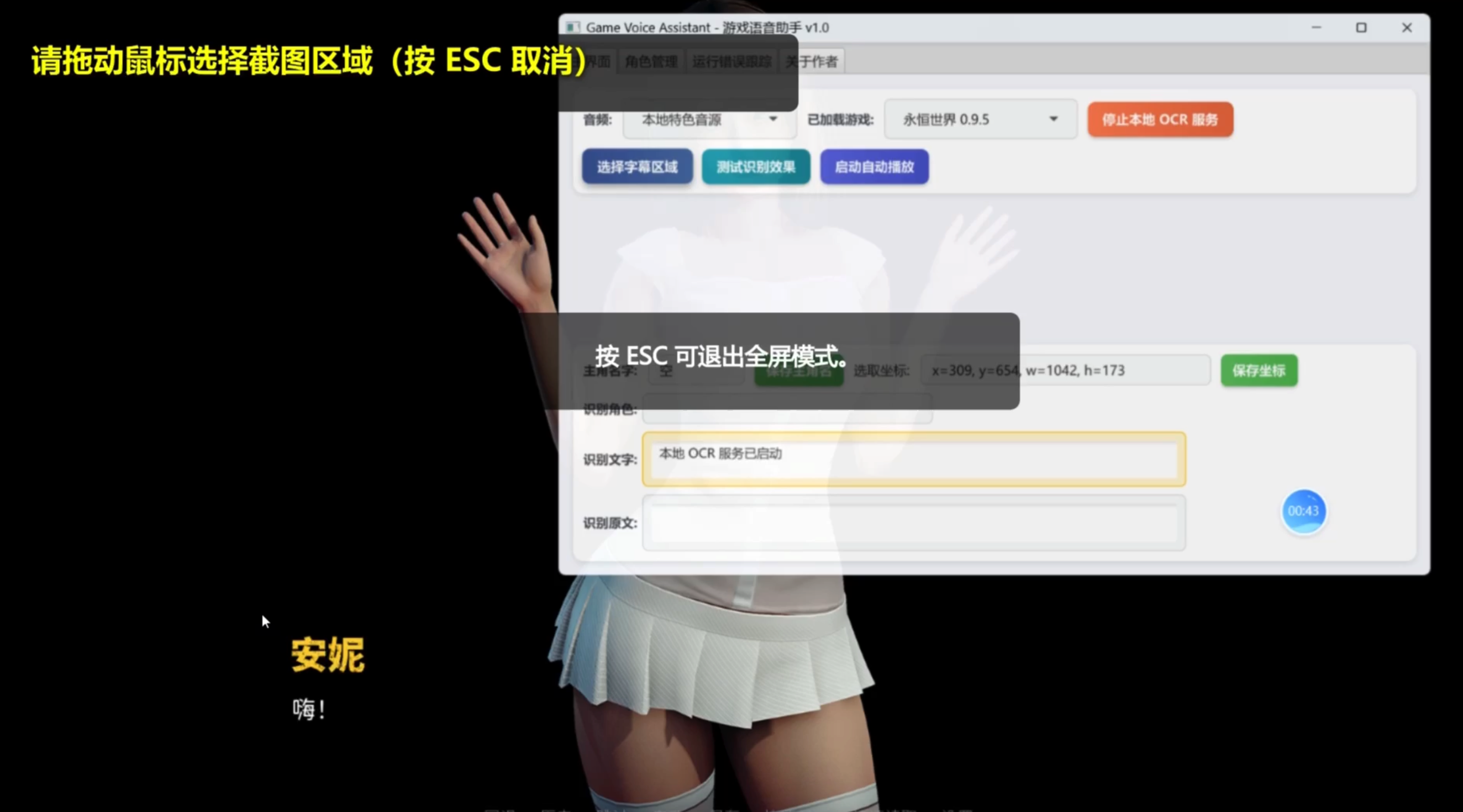
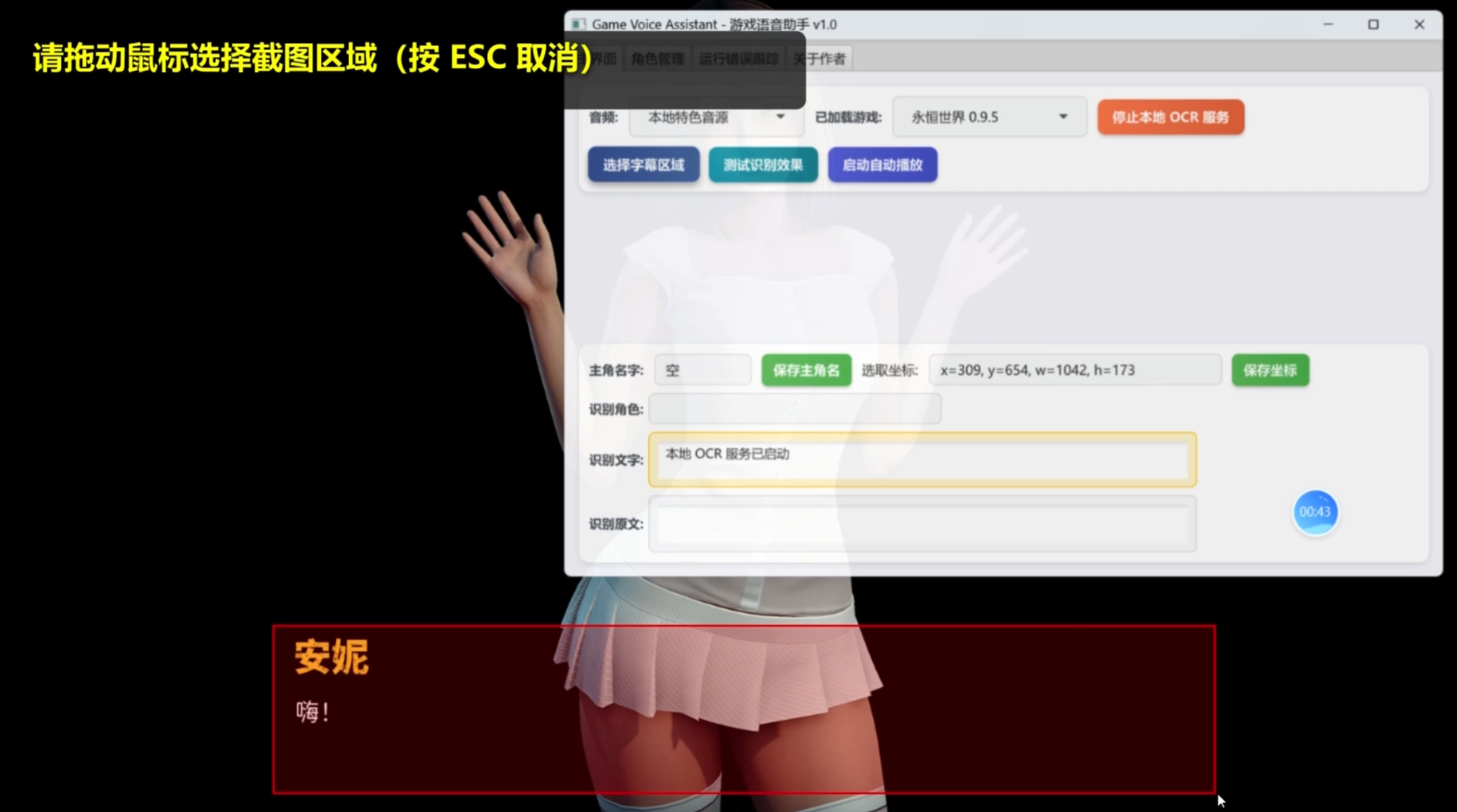
Enter the game, select the screen region to recognize, and run a test to confirm. - Enable auto-play
Once the test works, start the auto-play feature.
- 支持平台:Windows11,Windows10
- 游戏使用窗口模式 / 无边框模式
- 获取方式:
使用方法
- 选择音源
打开软件,选择已下载好的网友自制游戏音源文件。
[音源包] 点击下载[永恒世界音源DEMO]:本站底部附件,百度网盘,夸克网盘 提取码:Wkcj,迅雷网盘 提取码:i77t,参考软件game/demo目录放入同级即可 - 启动 OCR 服务
点击启动本地 OCR 识别服务。 - 区域识别与测试
进入游戏后,框选需要识别的画面区域,并进行测试确认。 - 开启自动播放
测试无误后,启动自动播放功能即可。详细教程地址:
全量音源点击这里下载:https://kongkongo0.itch.io/eternum-cn-voice
更多使用教程:
Download
Leave a comment
Log in with itch.io to leave a comment.